To open settings, click the gear icon in the popup window.
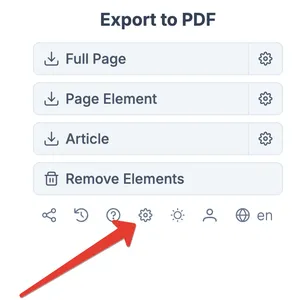
You will be taken to the settings page.
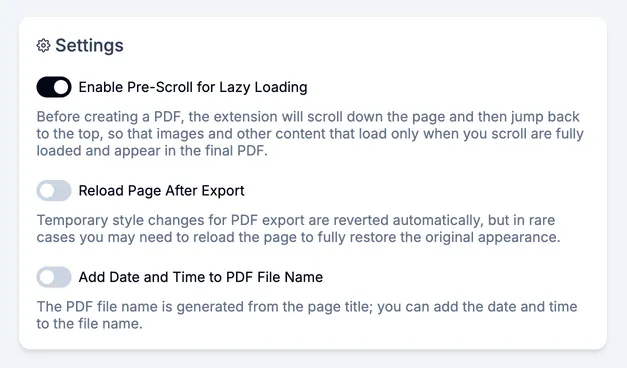
Pre-scroll the page to init lazy loading
This setting loads lazy-loaded elements. These are elements that load as you scroll the page. Most often these are images, but it can also be any other dynamically loaded content.
Leave this setting on to increase the chance that everything loads. But if speed matters, turn it off so your PDF is generated faster.
Reload the page after export
This setting reloads the page after exporting the PDF file. Before export, a small amount of CSS styles and JS code is injected into the page to help with export. Usually it does not affect the page. But in very rare cases it can interfere with the page.
It is recommended to keep this setting off so you do not lose the data you are working on and exporting. For example, you fill out a long form and want to save it to PDF before submitting. If the setting is off, the page will not reload and the data in the form will stay.
Add date and time to the PDF file name
Sometimes you need to add the export date and time to the file name. Turn it on if you need this. The file name format will be: ...2026-01-18 18-26-30.pdf