Let’s look at the process of saving a web page as a PDF using a Google Chrome extension.
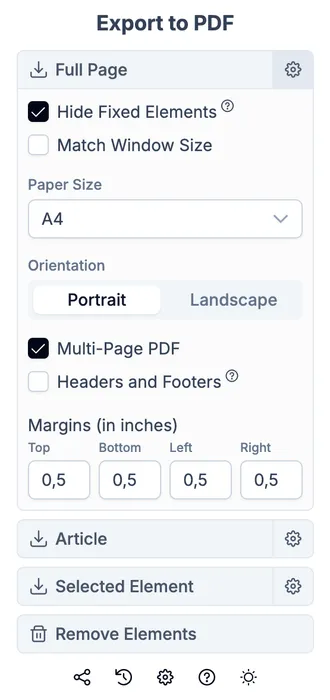
If you use a desktop browser, a dedicated extension is a convenient way to convert web pages to PDF.
Quick instructions
- Install the Web to PDF extension from the official Chrome Web Store.
- Open any page and click the extension icon.
- Convert and save the PDF.
Options and modes
The Web to PDF extension has a wide range of options and modes to fine-tune the PDF. Let’s go through them.
Full page export mode
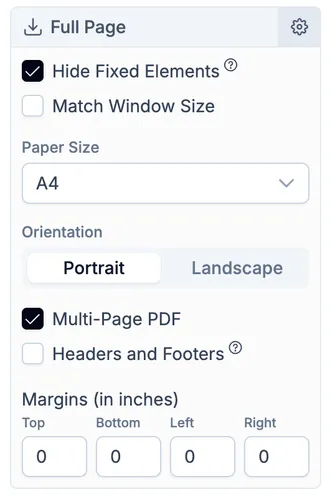
Use this mode when you want to save a page as close as possible to what you see in the browser.
Available options:
- hide fixed elements;
- PDF size equals browser window size;
- custom size:
- A0;
- A1;
- A2;
- A3;
- A4;
- A5;
- Letter;
- Legal;
- Tabloid;
- portrait or landscape orientation;
- multi-page or single-page PDF;
- headers and footers;
- margins.
Page element export mode
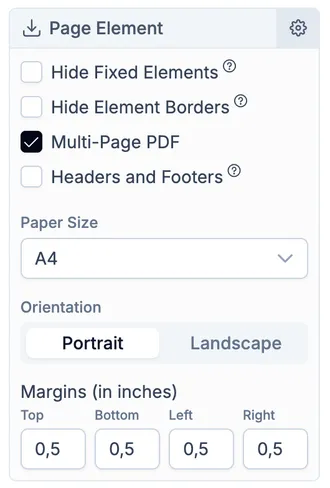
This mode saves only the part of the page you select. For example, an article, a code block, or a table.
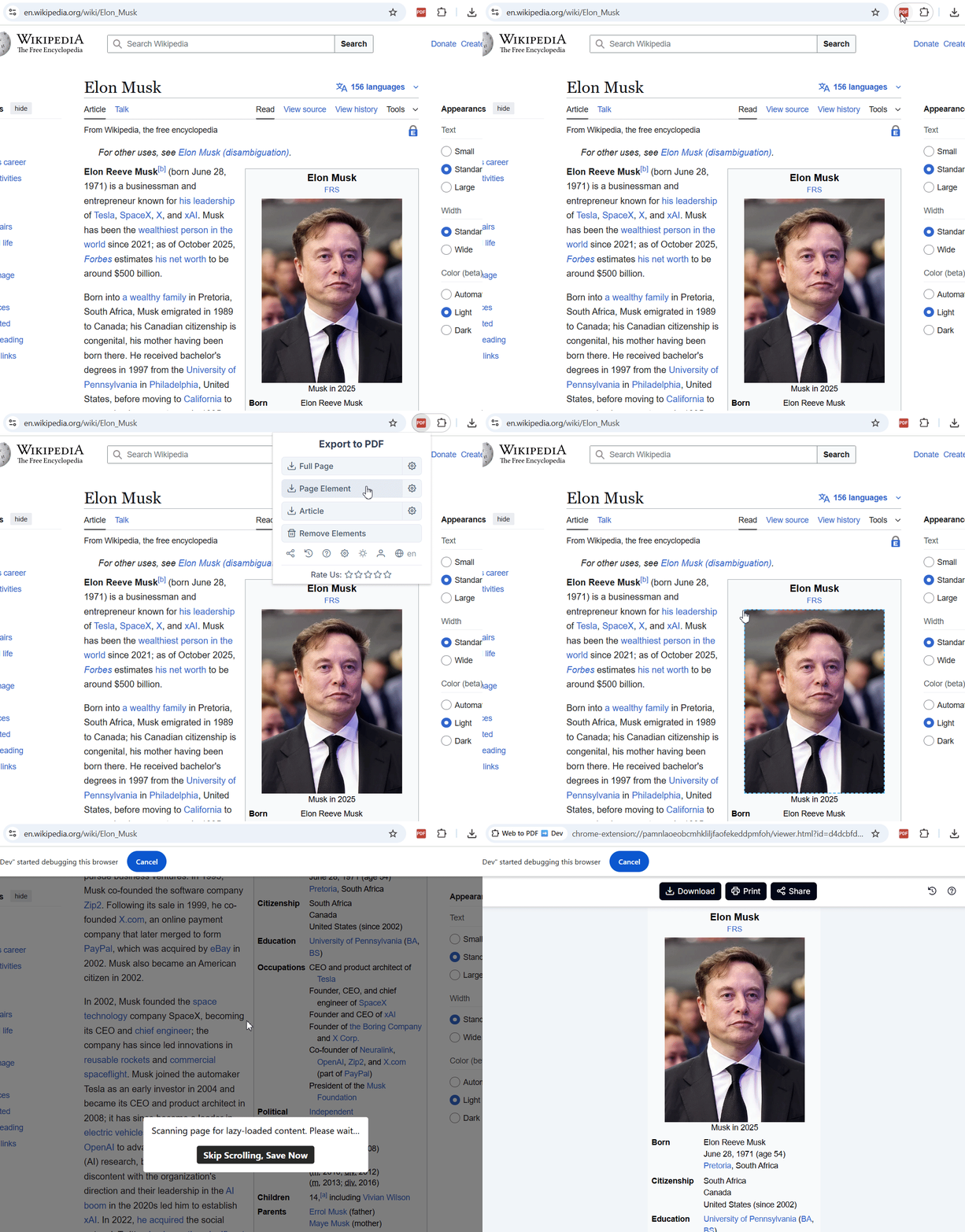
It has the same settings as full page export, plus an option to hide element borders. This is useful when the selected element has outer borders that you do not want in the PDF.
Article mode
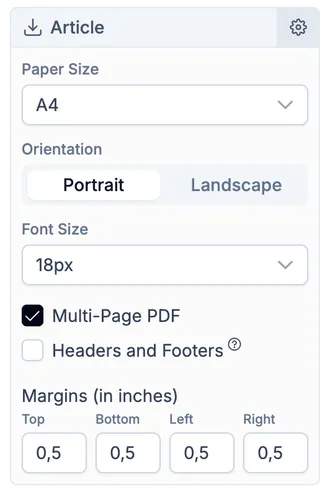
This mode automatically detects the main article text and saves it in a clean view, without ads, styles, and other distractions. It is similar to reader mode in browsers.
Very convenient when you want to focus on reading, without distractions.
It has the same options as full page export, plus a font size setting.
Chat export mode for ChatGPT, Gemini, and DeepSeek
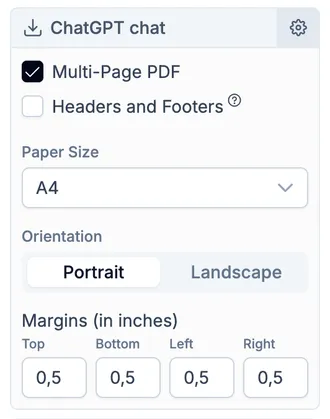
The extension includes special modes optimized for exporting your AI chats to PDF. Read more about how to save a chat in PDF in this article.
Export a chat with ChatGPT, Gemini, and Deepseek to PDF with one click!
Element removal mode
Use this to clean the page from clutter like ads, menus, sidebars, and other unwanted elements.
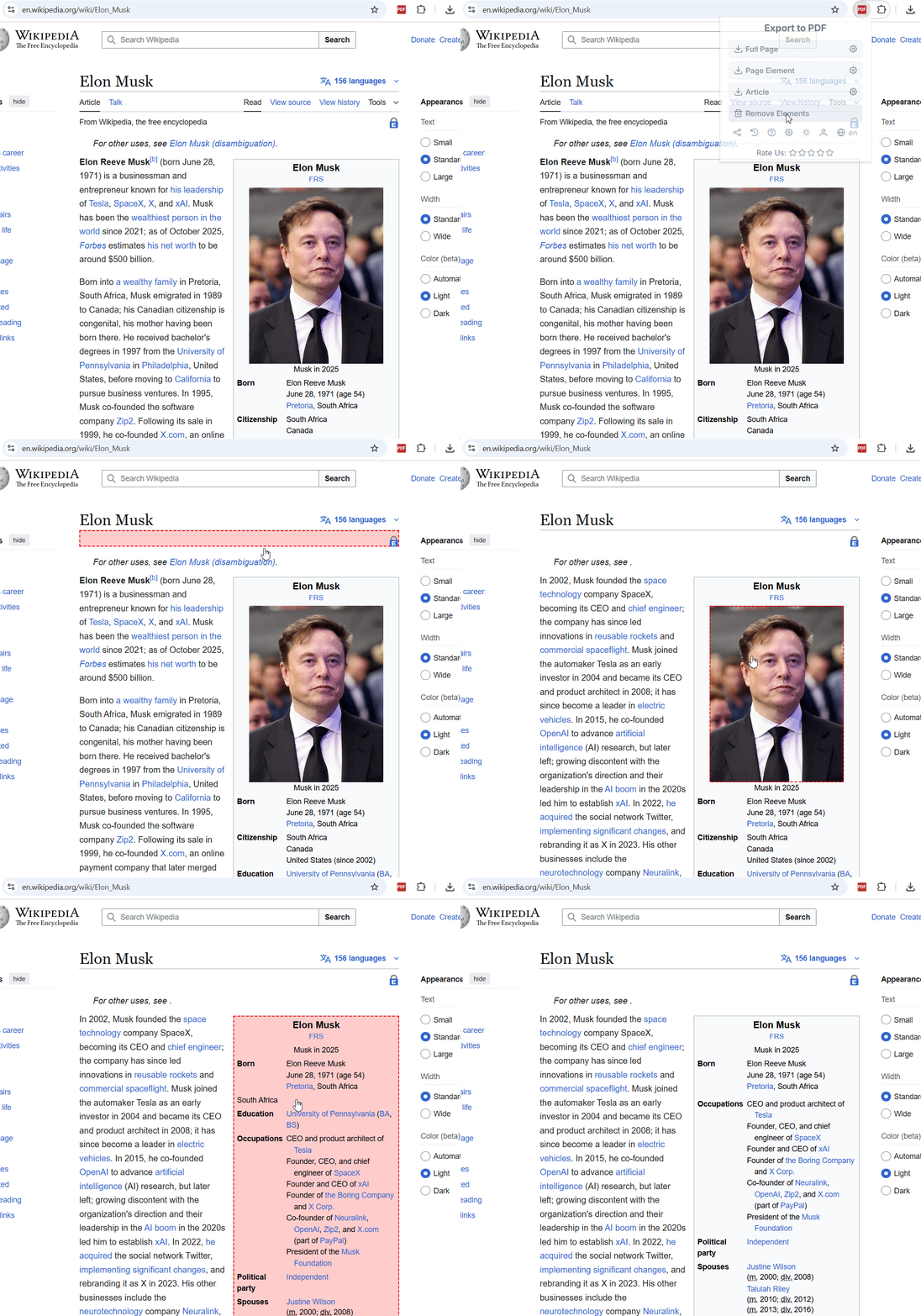
Select an element, click it, and it will be removed from the page. You can restore a removed element with CTRL + Z.
Pros
- The widest range of modes, options, and settings
- Can save content that requires login
- Preserves original page styles