Sometimes you need to save a web page to PDF that is not published online. For example, you have an HTML file or HTML code on your device and you want to convert it to PDF. In this case, the online HTML to PDF converter helps.
How it works
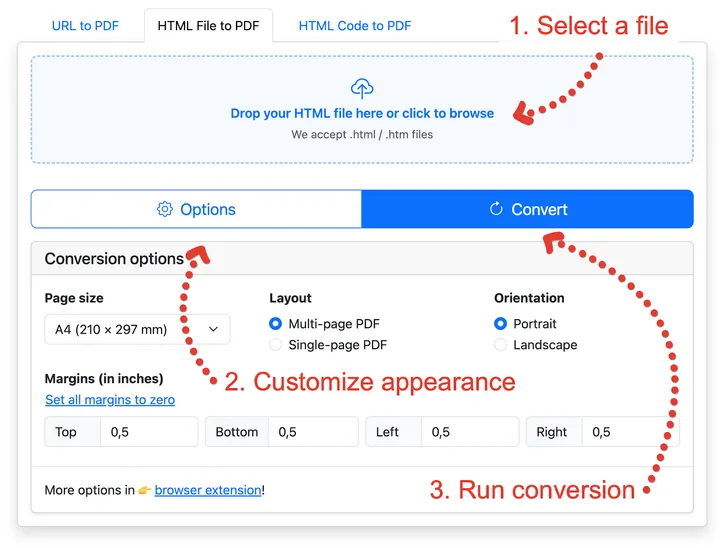
- Choose a .html or .htm file. You can drag it into the blue area or click it and select the file in a folder.
- Set up the look of the PDF file.
- Start the conversion.
After the conversion, the PDF will open in a new window. You can download or print it within 1 hour. After that, the file will be deleted.
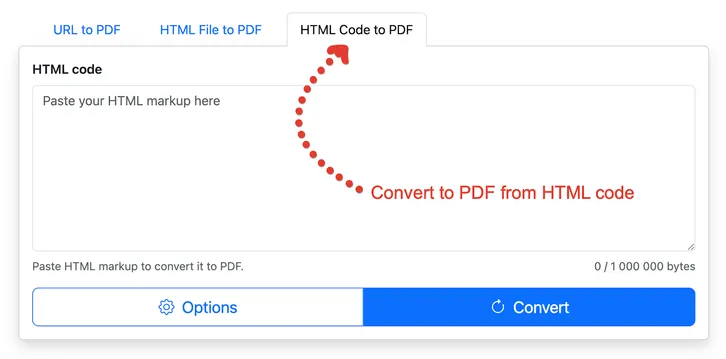
You can convert HTML code to PDF in the same way. Just click the appropriate tab in the converter.
Why convert HTML to PDF
PDF is a convenient way to share a file. It is more convenient than an HTML file because you can view a PDF on any device and it will look the same everywhere.
Converting relative links
Unlike competitors, we can correctly convert HTML to PDF even when the original HTML file uses relative links. Other converters cannot handle this, so images do not appear, CSS styles are not applied, and the layout breaks.
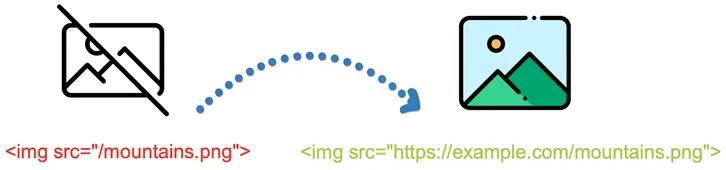
To get better results, we replace relative links with absolute ones using the domain from <link rel="canonical" href="http://www.example.com" />. This way, styles, images, and other static resources load and display correctly in the PDF.