Why save web pages to PDF at all? You can always bookmark a page and return to it later.
🚫 Not always.
A page or even a whole site can become unavailable at any time.
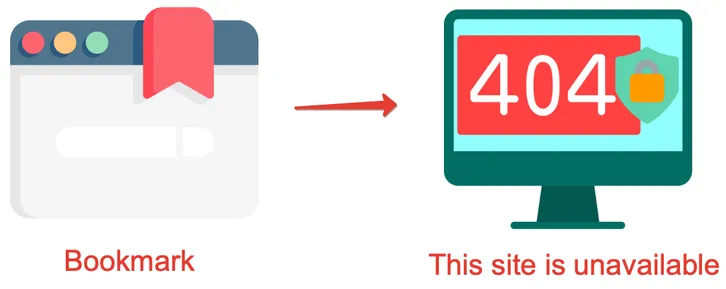
Here are a few reasons why this can happen:
- A site can be blocked by authorities. This happens not only in regions with heavy censorship.
- The site owner may forget to pay for hosting or renew the domain.
- The site can be hacked or the database can be accidentally wiped.
- You may simply have no internet access. For example, on a plane or on a long train ride.
Also, a page can be removed on purpose. For example, classified sites remove pages of sold items. It is useful to keep a copy in case of a dispute with the seller.
What to do if a page is gone
There is the Internet Archive (Wayback Machine). If a site is gone or a page is no longer available, you can try the archive.

This can help, but only in some cases:
- you remember the exact URL;
- most importantly, the page must be in the Internet Archive.
But even if the page is there, it does not guarantee you will get the content. The page may render incorrectly because it is not always a static document.
For correct rendering, a page may need:
- js code;
- css styles;
- third-party images that are no longer available;
- a server response that no longer exists.
All this means you may not get the result you expect. It is better to save a local copy in advance.
Access to restricted materials
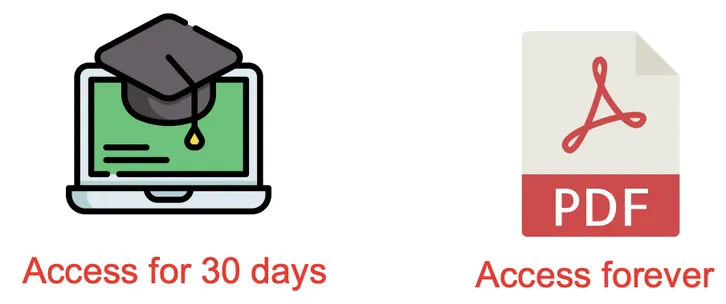
Here is another example. Imagine you are taking an online course and have access to study materials. This access is usually provided only for the duration of the course.
So it is convenient to save such materials on your computer and return to them when needed, without worrying that access will disappear.
How to save a page that requires login to PDF
The most reliable way to avoid these issues is to save an important page to PDF ahead of time.
Here are 2 convenient ways to do it.
| Method | When to use |
|---|---|
| Web to PDF browser extension | When you need styles, ease of use, different settings, and high quality. |
| Built-in browser print (CTRL+P) | When you do not need settings or styles, do not want to install anything, and the result is not critical. |
Why PDF is better than screenshots
- you can select text;
- text stays sharp when you zoom in;
- links stay clickable.